Here is a script I have created to help the flow of data between VWO and Google Analytics via Google Tag Manager.
This helps by not having to create a dimension for every test you setup, instead this automatically creates the required tags via a script.
Start of by creating the following Variables (Type: DataLayer) in GTM:
- VWO CampaignID
- VWO CampaignName
- VWO VariationID
- VWO VariationName
Then create the following triggers:
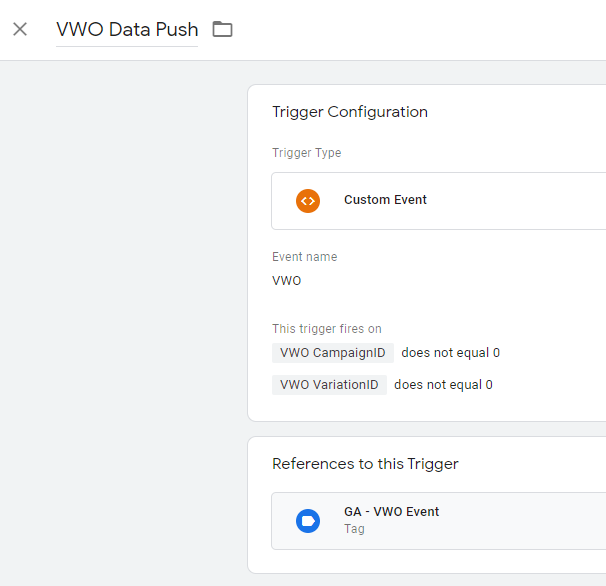
VWO Data Push
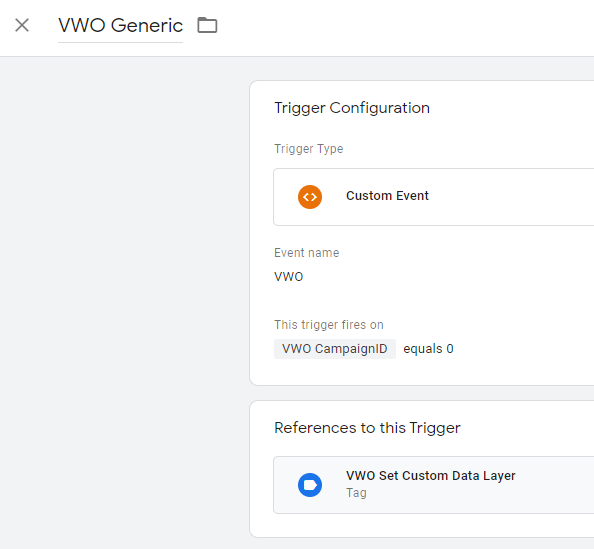
VWO Generic
Then create the following Tags:
VWO Set Custom Data Layer (Custom HTML & Firing Trigger VWO Generic)
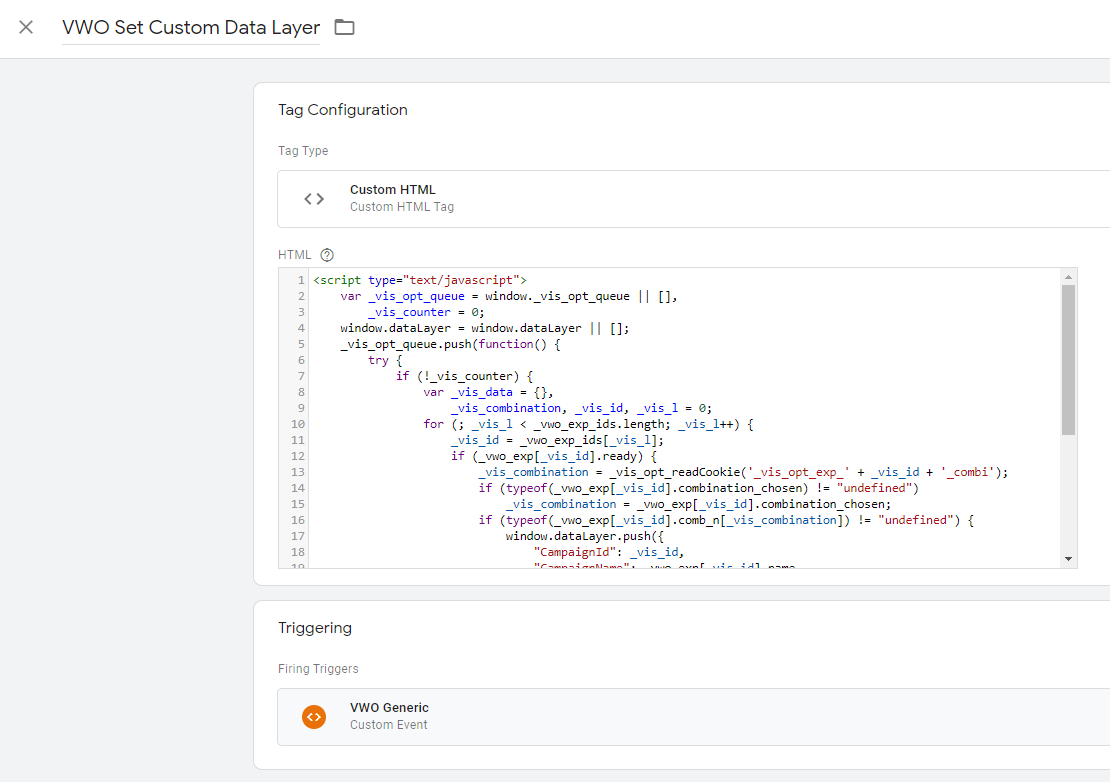
<script type="text/javascript">
 var _vis_opt_queue = window._vis_opt_queue || [],
 _vis_counter = 0;
 window.dataLayer = window.dataLayer || [];
 _vis_opt_queue.push(function() {
 try {
 if (!_vis_counter) {
 var _vis_data = {},
 _vis_combination, _vis_id, _vis_l = 0;
 for (; _vis_l < _vwo_exp_ids.length; _vis_l++) {
 _vis_id = _vwo_exp_ids[_vis_l];
 if (_vwo_exp[_vis_id].ready) {
 _vis_combination = _vis_opt_readCookie('_vis_opt_exp_' + _vis_id + '_combi');
 if (typeof(_vwo_exp[_vis_id].combination_chosen) != "undefined")
 _vis_combination = _vwo_exp[_vis_id].combination_chosen;
 if (typeof(_vwo_exp[_vis_id].comb_n[_vis_combination]) != "undefined") {
 window.dataLayer.push({
 "CampaignId": _vis_id,
 "CampaignName": _vwo_exp[_vis_id].name,
 "VariationId": _vis_combination,
 "VariationName": _vwo_exp[_vis_id].comb_n[_vis_combination],
 "event": "VWO"
 });
 _vis_counter++;
 }
 }
 }
 }
 } catch (err) {};
 });
</script>
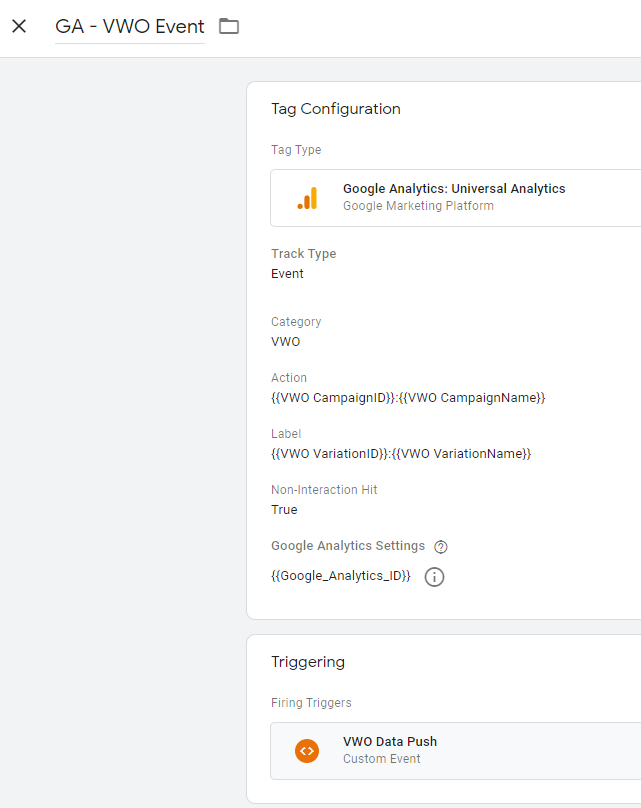
GA - VWO Event